
 Ryan Huff
Product Releases: September Wrap Up
 Ryan Huff: Oct 2, 2026, 12:00:00 AM
Here's what shipped and which plans each one is on. Ramp Pricing and Deal fields are the only Enterprise plan item, and the rest reach every plan.
Quotivity’s approvals were built to handle the real-world complexity of quoting—without forcing admins to maintain an overly complicated ruleset. You’ve always been able to create detailed approval logic in HubSpot + Quotivity while keeping the setup manageable.
But there was one pattern that could still be tricky to implement cleanly:
In a hierarchical model, only one approver should be required, based on the size or risk of the deal. For example:
The challenge is that multiple “Require Approval” rules can be true at the same time. Without extra guardrails, the system may evaluate multiple outcomes—and you end up with approvals that are duplicative, confusing, or routed to the wrong level.
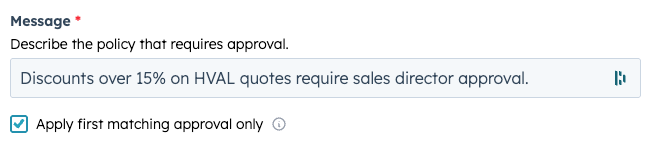
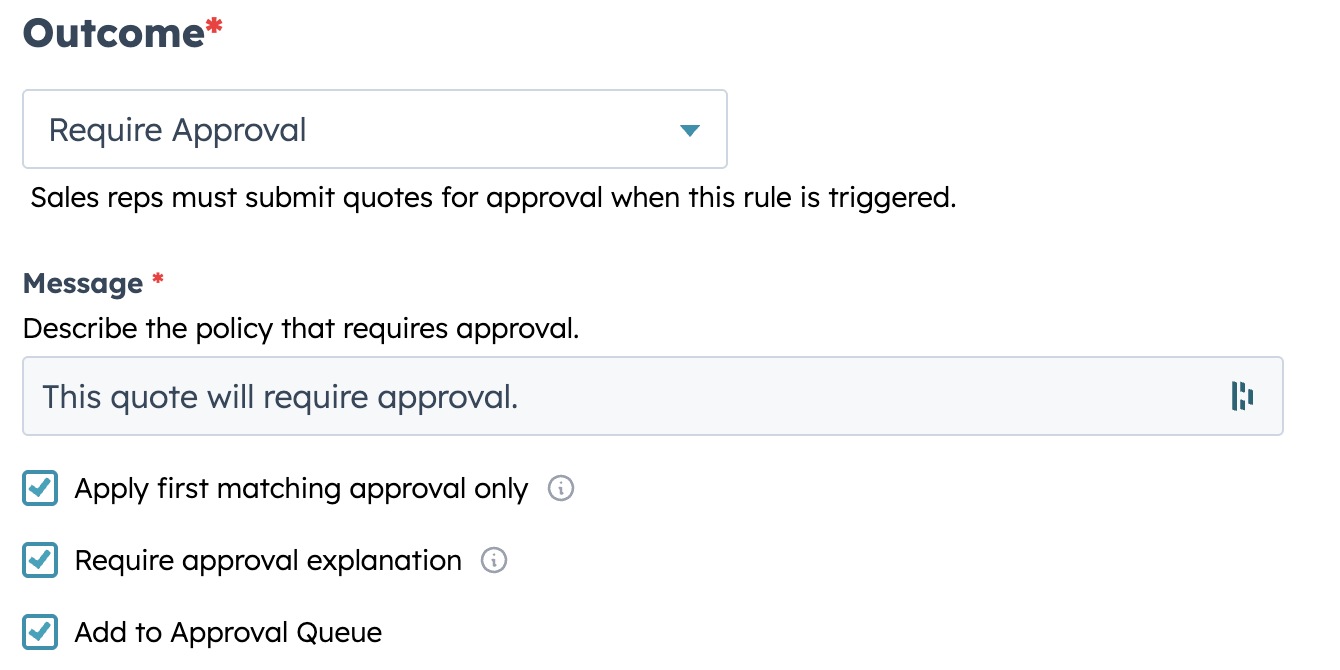
We’ve added a new option to the Require Approval outcome: Apply first matching approval only
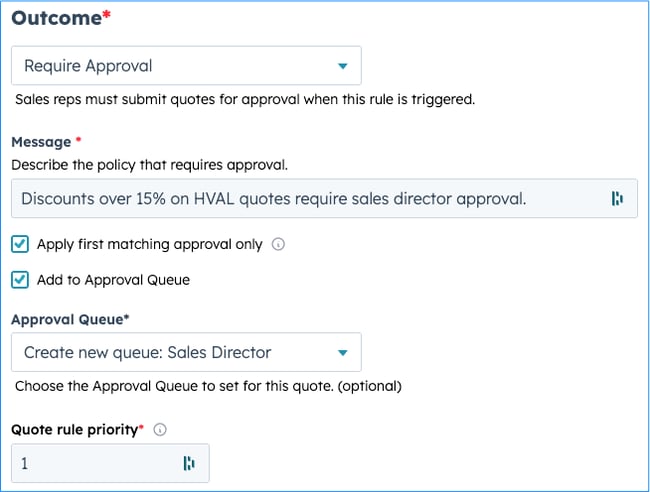
When checked, only the highest-priority Require Approval rule that evaluates to true is applied. After that, no additional approval outcomes are evaluated.
In plain terms: the quote triggers exactly one approval path—the right one.
This single checkbox makes hierarchical approvals straightforward because it lets you:
For admins, it means fewer edge cases and less time spent troubleshooting “why did this go to both people?”
For approvers and reps, it means fewer delays and less ambiguity.
Let’s say you define these approval rules (ordered by priority):
On a quote with a 27% discount, all three rules are technically true. But with Apply first matching approval only enabled on the Require Approval outcome, only rule #1 applies—and the request goes straight to the CFO.
No extra steps. No duplicate approvals. No confusion.
That’s it. You’ve created a clean hierarchical approval flow.
This option is ideal when:
If your process truly requires multiple approvals (e.g., Finance and Legal), you may choose not to enable it for those paths.
Approvals work best when they’re clear, consistent, and fast. This update makes hierarchical approvals easy to implement and easy to maintain—while ensuring every request routes to the right person the first time.
Ryan Huff: Oct 2, 2026, 12:00:00 AM
Here's what shipped and which plans each one is on. Ramp Pricing and Deal fields are the only Enterprise plan item, and the rest reach every plan.
 Ryan Huff: Sep 30, 2026, 9:50:30 AM
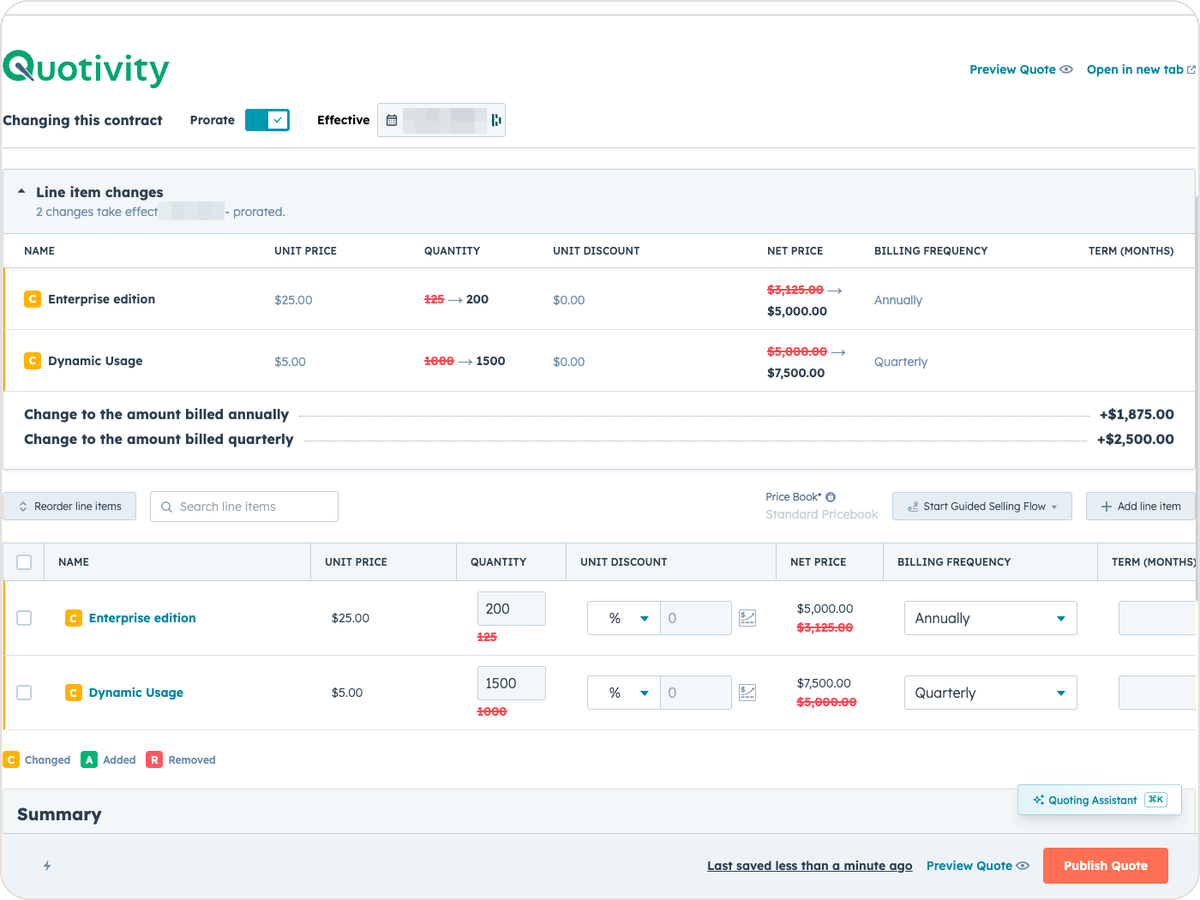
An equipment maker sells a bottler one packaging line. Partway through the term, the bottler calls back. Two more lines are going in, and they want...
Ryan Huff: Sep 2, 2026, 12:00:00 AM
Three changes from August for whoever maintains your Quotivity setup. Two of them, BLANKVALUE and bundle member summaries, are on the Enterprise plan.
 Ryan Huff : Feb 16, 2026, 12:38:37 PM
Streamline approval workflows with Quotivity's Approval Queues, reducing complexity and centralizing routing rules for easier management and...
 Ryan Huff : Feb 16, 2026, 11:55:42 AM
Speed up quote approvals with clear context. Learn how Quotivity's new Approval Request Explanation feature streamlines the process by reducing...
 Nikki Zangardi : Apr 8, 2025, 5:15:00 AM
Reps move fast — now your approvals can too. Build multi-layer quote approvals in HubSpot with Quotivity and keep control without killing momentum.