
Price the quote from the cost you already have
Make-to-order shops price from a cost, and from a markup the business already agreed to. The list price is whatever that math says after the latest...
Make-to-order shops price from a cost, and from a markup the business already agreed to. The list price is whatever that math says after the latest cost sync.
Take a company that sells steel enclosures in the US and Canada, and costs sync into HubSpot once a month from the ERP. US quotes already price from that cost through a Calculated Pricing formula. Canadian quotes can't, so someone rebuilds the CAD price book in a spreadsheet when steel moves, or when the exchange rate does.
Between those updates, Canadian quotes drift off the 45% markup. Nobody notices until a deal closes thin.
Calculated Pricing has handled cost-plus for years, in the portal's primary currency. It works, and plenty of good pricing setups still run on a formula. Each product still needs that formula built and assigned.
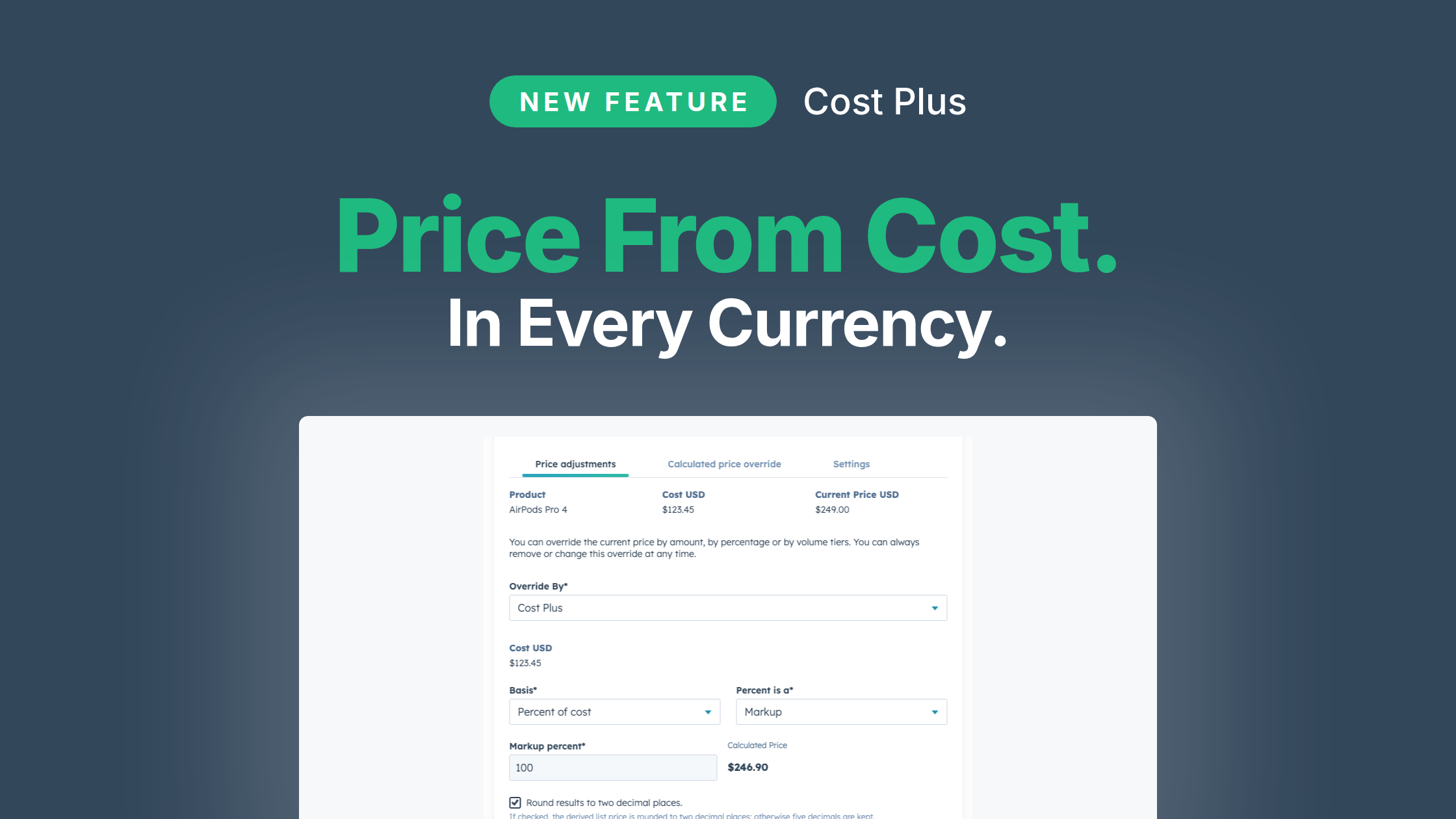
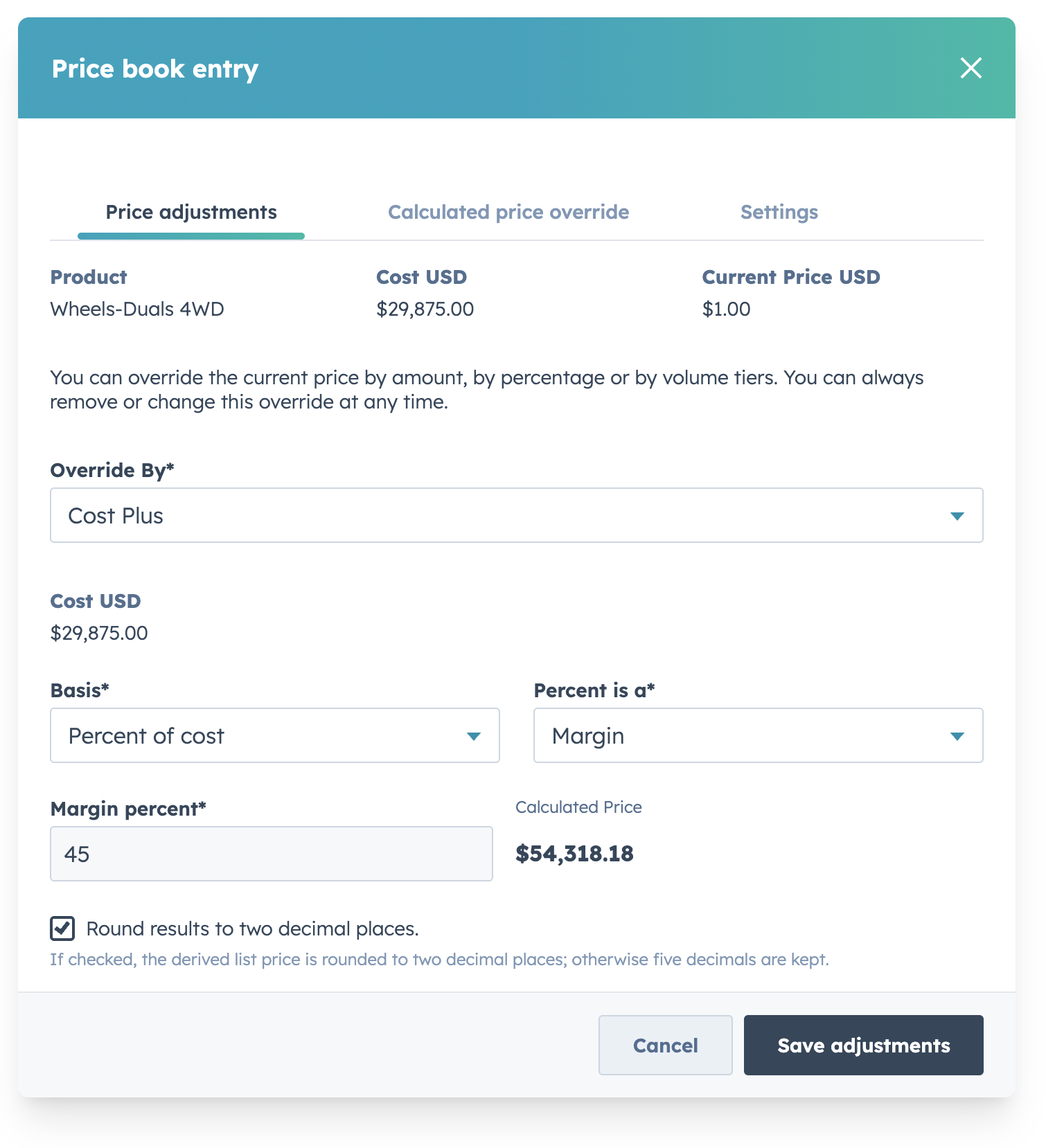
Cost Plus is a price adjustment option on a price book entry. Open Pricing, then Price Books, open the book, and click the product's price cell. Choose Cost Plus.

The Basis is either percent of cost or an amount above cost. For a percent, set choose Markup or Margin. Leave Round results to two decimal places checked, unless that product also has a formula.
A cost of 100 and a value of 30 produce 130.00 as an amount above cost.
The same 30 as a markup also produces 130.00, because the price is cost times (1 + 30%).
As a margin, 30 produces 142.86, because the price is cost divided by (1 minus 30%).
Those numbers are the list price. Discounts, quantity, and a calculated price formula still apply on top, the way they do for any other adjustment.
Costs are always entered in your portal's primary currency. But when your pricing is based on the cost, you need to factor in current exchange rates. You used to have to update those price lists every month. Now, Quotivity will handle that for you. Set your margin or markup, and that's it — no formula to assign. No spreadsheet for Canada.
You can also set your Cost Plus configuration for multiple (or all) products in a price book at once.
For the rep? Nothing new. When a rep adds the product, Quotivity reads unit cost from the HubSpot product and calculates the list price then.
If cost-plus today is a formula, and you sell in more than one currency, open the price book and move the simple entries to Cost Plus. Leave the formula on products whose price depends on more than unit cost.
Cost Plus is available now on the Enterprise plan. If you're weighing the plan, book a demo.
Make-to-order shops price from a cost, and from a markup the business already agreed to. The list price is whatever that math says after the latest...
Here's what shipped and which plans each one is on. Ramp Pricing and Deal fields are the only Enterprise plan item, and the rest reach every plan.
An equipment maker sells a bottler one packaging line. Partway through the term, the bottler calls back. Two more lines are going in, and they want...