 Ryan Huff
Product Releases: September Wrap Up
 Ryan Huff: Oct 2, 2026, 12:00:00 AM
Here's what shipped and which plans each one is on. Ramp Pricing and Deal fields are the only Enterprise plan item, and the rest reach every plan.
Here's what shipped and which plans each one is on. Ramp Pricing and Deal fields are the only Enterprise plan item, and the rest reach every plan.
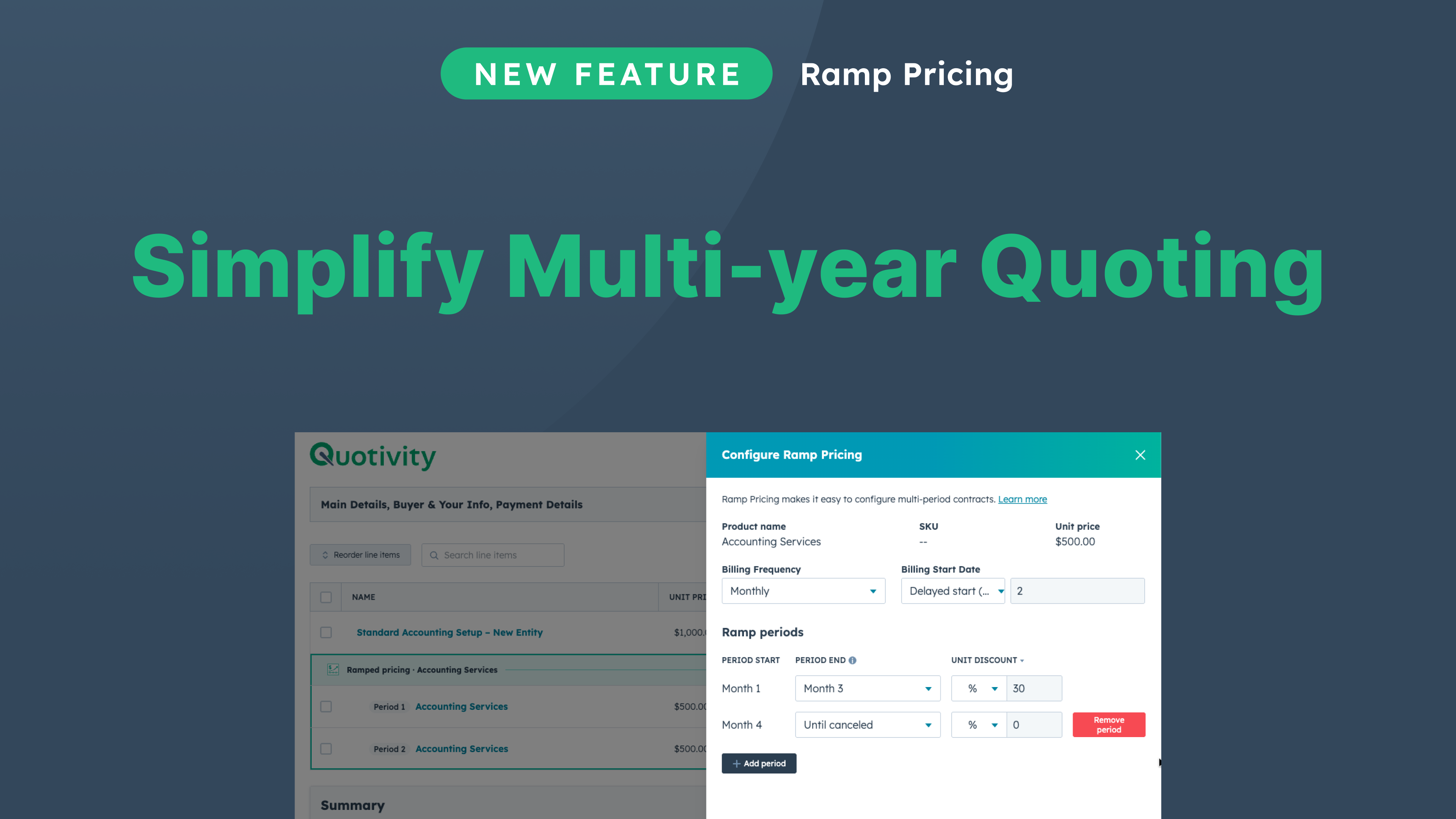
We wrote about it here but here's the gist: Ramp Pricing turns one recurring line on a quote into a ramp schedule from a single panel. You set the billing frequency, the number of periods, and a discount for each period. Quotivity then clones the line, sets each billing start and term, and keeps the rows linked so you can edit them later. In the video, an accounting firm charges $500 a month for bookkeeping and gives a new client 30% off for the first three months. That turns into two linked lines, $350 a month for three months and then $500 until canceled, with no date math by hand.
Discount is only one of the things that can step. Quantity can change by period, and each period prices from its own volume tier. A pricing-table input such as GMV can step too, which is the e-commerce example in the video. Starting and Ending ARR and MRR land on the quote and the deal, so finance can see where the account starts and where it settles.
Demo:
Some new HubSpot accounts need Revenue Hub to access quotes. Without it, there are no quote properties like Quote Status for a workflow to trigger on, so those portals couldn't start a Quotivity approval. They can now start from the deal. The Quote Submitted for Approval app event fires on the deal and carries the Quote ID and Approval Queue. Build a deal-based workflow off that event, map Quote ID into Request Quote Approval (v2) and Publish the Quote, and use Approval Queue to branch when different queues need different approvers.
If your portal can already create quote workflows, keep enrolling when Internal quote status is Pending approval. Events from before the new workflow is turned on aren't enrolled. Setting up an approval process walks through both paths.
Quotivity now lists, opens and acts on quotes created in HubSpot. They used to be left out of the quote list. Opening one returned "Sorry, this quote was created outside of Quotivity and can't be opened." You can now submit, publish, recall, repair, archive or mark them accepted, and their status changes sync to Quotivity.
One check stays on purpose. Approval actions only accept quotes that were submitted through Quotivity, because submitting is when Quotivity validates the quote and stamps a validation date.
Say a roll-up sums install hours. The quote got the grand total and that was it. Now each bundle header gets its own hours too, while the quote keeps the grand total and the deal keeps the quote's number.
The header value uses the same source, operation and conditions you already set, counting only that bundle's members. Optional add-ons count unless a condition filters them out, and the header itself is left out. No setup changes. Quotivity adds a line item property with the same name as your quote and deal roll-up property, and only writes it on bundle headers.
Quote Rules can now check whether a quote will be e-signed. A quote property called E-Signature Enabled is on when a Quotivity template's signature option is e-signature, or when HubSpot's own E-Signature Enabled is true on a native quote, and Quotivity keeps it in sync. Reps can't edit it in Quote Builder, since it follows the quote's signature setting.
Use it as a rule condition, for example to require approval whenever e-signature is on. E-signature itself is Pro and up, and Trial accounts get 5 signatures a month.
Admins can now add HubSpot deal properties to Quote Details, so reps can read things like the project name or requested ship date without flipping back to the deal. They go in the six-field summary, the twelve-field panel, or both. Deal fields show as (Deal) in the picker and stay read-only in Quote Builder, so the deal remains the system of record.
One thing to watch. A deal Amount field shows the deal's value, not this quote's total, so don't read it as the quote price.
If you'd like to see any of these on your own quotes, get in touch and we'll set up time. The table at the top shows which plan each one is on.
 Ryan Huff: Oct 2, 2026, 12:00:00 AM
Here's what shipped and which plans each one is on. Ramp Pricing and Deal fields are the only Enterprise plan item, and the rest reach every plan.
 Ryan Huff: Sep 30, 2026, 9:50:30 AM
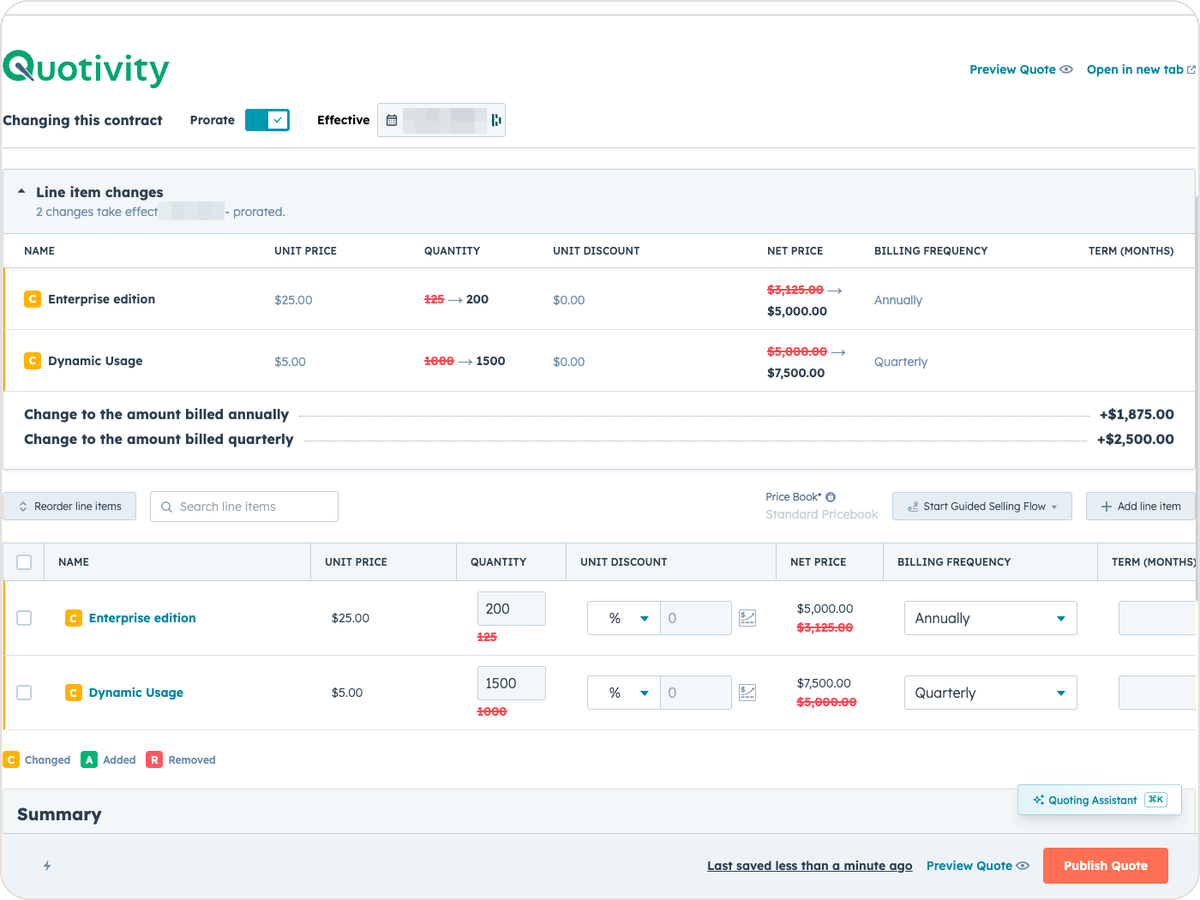
An equipment maker sells a bottler one packaging line. Partway through the term, the bottler calls back. Two more lines are going in, and they want...
Ryan Huff: Sep 2, 2026, 12:00:00 AM
Three changes from August for whoever maintains your Quotivity setup. Two of them, BLANKVALUE and bundle member summaries, are on the Enterprise plan.
 Ryan Huff : Sep 1, 2026, 12:00:00 AM
Discover how to effectively implement multi-period ramp pricing in HubSpot, ensuring accurate quotes and streamlined processes for recurring deals.
Ryan Huff : Sep 2, 2026, 12:00:00 AM
August's Quotivity updates: a BLANKVALUE fallback for Calculated Pricing, bundle member summaries in custom columns, and a default Add Line Item tab.
Ryan Huff : Aug 3, 2026, 12:00:00 AM
Quotivity's July updates: bundle CSV import, bundle margin, multi-option bundle rules, quote acceptance, rejection reasons in Quote Builder, and an...